Quick answer
Evidence profile: E1 source-led research, so this is a documentation-based current-status analysis rather than a tested product review. Treat “A Cloud Guru” as a content lineage inside Pluralsight, not as a currently available standalone subscription. A former A Cloud Guru learner should first inspect the migrated Pluralsight account, past activity, and republished course version. A new buyer should verify whether the exact cloud course, path, lab, or sandbox needed for the next study block is included in Cloud+ or Complete before paying.
In the United States pricing view checked on , Pluralsight displayed Cloud+ at $29 monthly or $299 billed yearly. The same pricing page says the ten-day trial does not provide full lab or sandbox access. Those are dated displayed terms, not a checkout quote or evidence that the course and practice workflow will fit a particular learner. Review the current plan comparison and the current trial rules immediately before subscribing.
Evidence and scope
- Evidence profile
- E1 – current official Pluralsight documentation review
- Information checked
- Audience
- Former A Cloud Guru learners and new buyers checking the current successor access model
- Current product boundary
- The retired A Cloud Guru platform, its migration to Pluralsight, and current Pluralsight Cloud+ or Complete access
- Direct evaluation
- Not performed
- Main limitation
- No account, migrated profile, free trial, course, path, lab, sandbox, practice exam, app, checkout, cancellation flow, support interaction, accessibility workflow, or device workflow was directly evaluated.
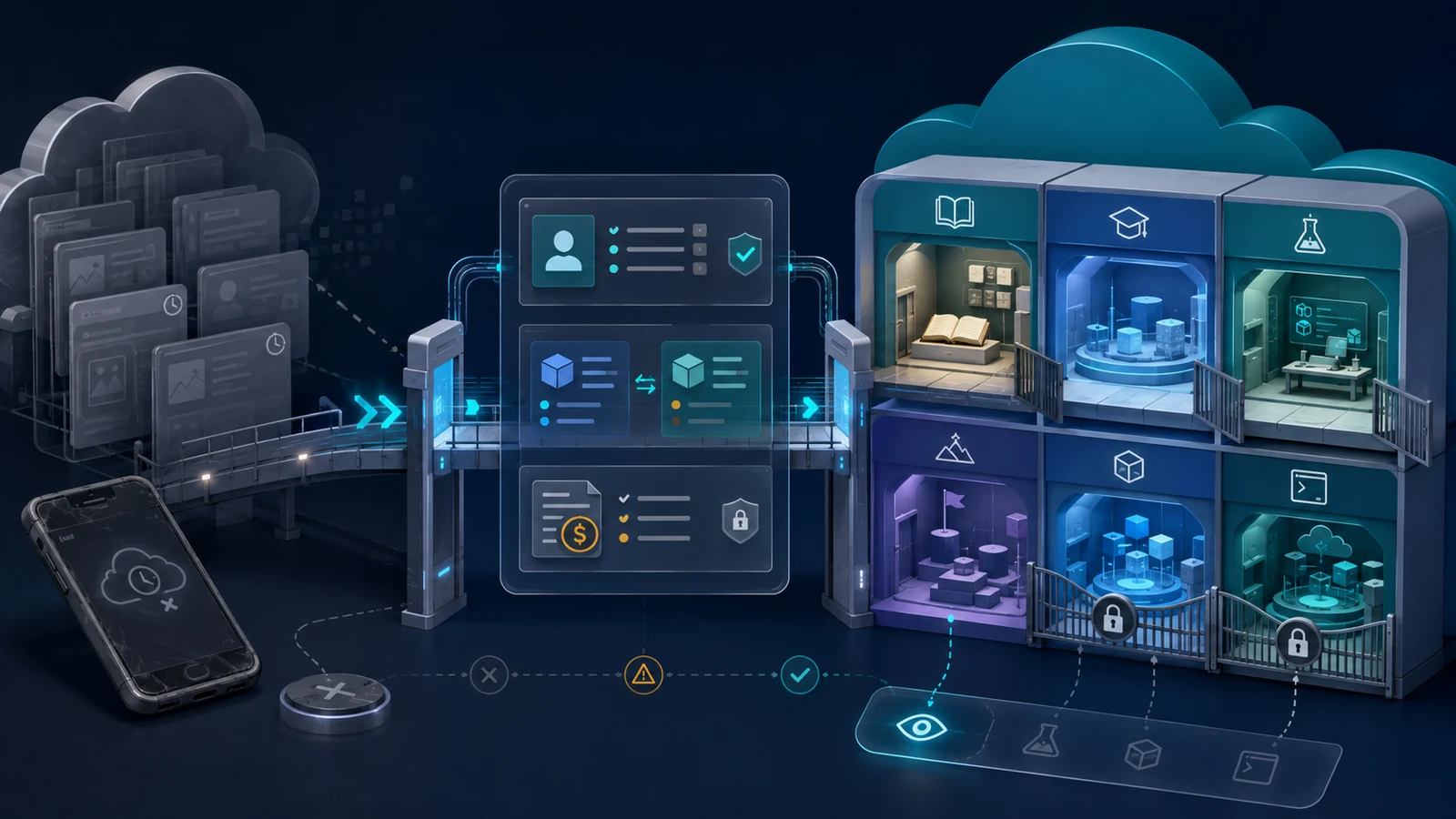
A Cloud Guru is no longer a separate platform a new buyer can evaluate in its old form. Pluralsight says all customers were migrated and that the A Cloud Guru systems became inaccessible when final shutdown began on November 4, 2025. Current access to republished A Cloud Guru material is through Pluralsight, including the Cloud+ and Complete individual plans. Pluralsight’s final integration notice and the current Cloud+ page establish that boundary. For a capability-first cloud starting point, see the cloud and DevOps learning-path guide. See How we test for the evidence labels and testing boundaries used here.
Key facts about the migration
- All A Cloud Guru customers have been migrated to Pluralsight, and the retired A Cloud Guru systems are no longer accessible.
- A course started on the old platform cannot simply be resumed there. Pluralsight directs learners to republished versions and preserves access to past A Cloud Guru activity in the migrated experience.
- The old A Cloud Guru mobile app was retired. Pluralsight directs former users to its current mobile or desktop apps.
- Cloud+ is the current cloud-focused individual plan carrying A Cloud Guru courses; Complete also includes the original A Cloud Guru course and lab library.
- Paths can combine courses, assessments, practice exams, and other resources, but path ordering and progress behavior do not prove instructional fit for a specific learner.
- Labs and sandbox features depend on the selected plan. Full access is not included in an individual free trial.
- Cloud sandboxes are temporary and restricted environments. Data can be deleted when the session ends, so they are not durable project hosting.
- Individual subscriptions renew automatically. Pluralsight documents no refunds for individual subscriptions and does not send an email reminder before renewal.
The migration, app, and access statements are documented in the November 2025 integration release notes, current app-download guidance, and individual plan comparison.
Who should use this analysis
Use this page if you were an A Cloud Guru learner and need to understand what happened to the old account, course history, billing, or mobile access. It is also for a new cloud learner who sees the A Cloud Guru name in older recommendations and wants to know what can actually be purchased now.
The decision is narrower than a full Pluralsight review. This page asks whether the current successor access model contains the exact cloud instruction and practice feature required for one study objective. It does not compare Pluralsight with another provider, select an AWS, Azure, or Google Cloud career path, compare cloud lab platforms, calculate cross-platform total cost, or identify alternatives by provider. Those are separate buyer decisions.
Start with a named objective: one certification domain, one cloud service, one operational task, or one bounded lab requirement. Do not begin with “get A Cloud Guru” as the goal. The old product identity no longer describes the checkout, account, app, or entitlement surface a learner will actually use.
The current decision at a glance
On a small screen, swipe or scroll the table horizontally to compare all columns.
| Your situation | Current documented state | Next verification | Stop or defer when |
|---|---|---|---|
| Former A Cloud Guru learner | The account and history were migrated to Pluralsight; the retired platform is unavailable. | Sign in with the migrated route, inspect past activity, locate the republished course, and review current billing. | The expected history, course replacement, plan, or billing status cannot be reconciled. |
| New learner seeking A Cloud Guru courses | Cloud+ and Complete are the relevant current individual plans. | Confirm the exact course, path, lab, and sandbox entitlement in the live plan and catalog. | The decision relies only on an old A Cloud Guru review, screenshot, price, or course URL. |
| Learner evaluating with a trial | The individual trial lasts ten days and does not include full lab or playground access. | Use the trial for course structure, path navigation, practice exams, and device fit; list practice features still untested. | Hands-on access is essential but cannot be verified without a paid entitlement. |
| Learner needing cloud practice | Paid plan access may include labs and cloud sandboxes with time, service, concurrency, and misuse restrictions. | Check the exact lab type, provider, duration, supported services, persistence, and plan before starting. | The required service, region, action, persistence, or support boundary remains unknown. |
Takeaway: the useful question is not whether the retired A Cloud Guru brand was good. It is whether the current Pluralsight plan contains a specific, current course-and-practice workflow under acceptable access and billing conditions.
Courses, paths, and certification preparation
Do not assume one-to-one legacy course continuity
Pluralsight states that learners cannot continue courses on the retired A Cloud Guru platform. It instead points them to new versions of A Cloud Guru courses republished in Pluralsight and to their past A Cloud Guru activity. A migrated completion percentage therefore should not be treated as proof that the new course has the same lessons, order, labs, or assessment surface. Read the final migration notice.
Before resuming study, record the old course title, the intended certification or capability, and the new course or path title. Compare the current outline and prerequisites rather than trying to reconstruct the old sequence from memory. Any missing or materially changed segment becomes a study-plan decision, not an invisible migration detail.
Treat a path as a curated route, not a fit guarantee
Pluralsight defines paths as curated collections that can combine courses, Skill IQ assessments, practice exams, and other resources. Many paths use Beginner, Intermediate, and Advanced levels. The platform also notes that viewing a course outside its path may not automatically update path progress. The current paths documentation supports the structure and progress boundary.
- Check whether the path starts below, at, or above your current prerequisite level.
- Identify which course or resource supplies each required concept and practical task.
- Separate path completion from certification readiness or job capability.
- Record any course you take outside the path when progress tracking matters.
Use certification preparation as a study aid
The Certification prep center organizes vendor and topic resources, while Pluralsight practice exams simulate aspects of a certification exam and can be used with a preparation path or independently. Access depends on the plan, and practice exams are available in the web browser experience. Certification prep center documentation and practice-exam documentation describe those boundaries.
A practice-exam result is diagnostic evidence inside the learning plan. It is not an official exam result, a pass promise, or evidence of employment readiness. Verify the current issuer objectives separately before treating any course or path as complete coverage.
Labs, playgrounds, and assessment boundaries
Identify the lab type and entitlement first
Pluralsight documents code labs, hands-on labs, and Google Cloud self-paced labs as different experiences. Hands-on labs are self-guided, timed environments; the general plan mapping can vary by category, and full lab access is not included in a free trial. The labs overview explains the categories and access caveat.
Only one hands-on lab can be active at a time. A lab can also be temporarily unavailable for maintenance. Where a mode selector exists, Guided mode and Challenge mode provide different support and checking behavior. Challenge mode availability itself is plan-restricted. Hands-on lab guidance and Challenge-lab guidance establish those limits.
Treat the playground as temporary practice infrastructure
The Hands-on playground can include cloud sandboxes, instant terminal, cloud servers, and AI sandboxes, depending on plan. Pluralsight states that the playground is monitored for abuse, is unavailable to free-trial users, and deletes data when environments are deleted or shut down. The playground overview describes the environment types and data lifecycle.
The cloud-sandbox guide documents AWS, Azure, and Google Cloud environments, one active sandbox at a time, automatic shutdown and deletion after four hours for individual sessions, and service or action restrictions. Support can help with platform errors, but its ability to troubleshoot open-ended personal experiments is limited. Cloud-sandbox guidance provides the current operating boundary.
On a small screen, swipe or scroll the table horizontally to compare all columns.
| Feature | Evidence to verify | Artifact to keep | Material stop condition |
|---|---|---|---|
| Hands-on lab | Exact lab, mode, duration, environment, plan entitlement, objectives, and maintenance state | Lab title, objective list, permitted environment, result notes, and unresolved errors | The required lab is missing, locked, incompatible, or cannot test the intended task. |
| Cloud sandbox | Provider, supported services, restrictions, session length, deletion behavior, and concurrency | Sanitized setup record, commands or configuration notes, and cleanup/export record | The task needs an unsupported service, longer persistence, multiple environments, or production data. |
| Practice exam | Current exam target, domains, question and timing model, plan access, and browser requirement | Domain-level gap list and a dated revision plan | The exam version is unclear or the result is being used as a pass or career prediction. |
These are pre-use verification fields, not observed results. This research did not measure lab startup time, task accuracy, sandbox reliability, service coverage, accessibility, latency, support quality, or the instructional value of Guided or Challenge mode.
Plans, trial, renewal, and cancellation
Current displayed individual access
The individual pricing page checked on displayed Cloud+ at $29 monthly or $299 billed yearly. It described Cloud+ as including Core Tech plus the cloud specialty library and sandbox access. The same page stated that Complete and Cloud+ include cloud courses and labs originally published by A Cloud Guru. Check the live plan comparison and Cloud+ product page before relying on the plan name or amount.
The displayed amount is not a final invoice. Taxes, promotions, billing cycle, account state, region, and plan changes can alter the checkout result. This article does not calculate a guaranteed annual saving or decide whether Complete is a better value than Cloud+.
The trial cannot answer every practice question
Pluralsight documents a ten-day individual trial that converts to the selected paid subscription on the eleventh day unless canceled. Legacy A Cloud Guru personal-membership trials are no longer available. Course downloads, offline viewing, Hands-on Playground access, and full lab access require a paid plan. The individual-trial policy defines those limits.
Use the trial to inspect course navigation, current outlines, path structure, video delivery, practice-exam availability, and device fit. Keep a separate list of lab and sandbox questions that the trial cannot resolve. Do not infer paid hands-on quality from course-only trial access.
Record billing ownership and the exit path
Individual subscriptions auto-renew on the listed renewal date. Pluralsight states that individual subscriptions are non-refundable and that it does not send an email reminder before renewal. Canceling a paid subscription stops the next renewal while preserving paid access until expiration; canceling a trial ends paid-feature access immediately. Renewal guidance and cancellation guidance describe those effects.
A migrated personal A Cloud Guru membership is now managed from Pluralsight’s Subscription & Billing page. Former users should confirm the current plan, billing cycle, renewal date, payment channel, and cancellation state there rather than relying on an old A Cloud Guru receipt or account page. The acquired-subscription guidance establishes the billing handoff.
Account controls may also differ after migration. Pluralsight’s current multi-factor-authentication documentation says MFA is not available for customers migrated from A Cloud Guru. Treat this as an account-security constraint to verify, not as evidence that every migrated account behaves identically. Review the current MFA limitation.
Lower-commitment routes
A paid Cloud+ subscription is not the only valid next step. Before entering a recurring plan, you can:
- sign in to a migrated free or expired account and inspect the retained history and currently free Pluralsight content;
- use the ten-day trial to inspect the exact course, path, app, browser, and practice-exam surface while explicitly leaving full labs and sandboxes unverified;
- use current cloud-provider documentation or free learning material to define the knowledge gap before choosing a subscription;
- delay payment until the exact A Cloud Guru-derived course or lab is found in the current catalog;
- choose a shorter billing cycle when uncertainty is material and the live checkout terms are acceptable; or
- run a separate alternatives review using the same objective, access, practice, policy, and total-cost criteria rather than choosing from brand familiarity.
Migrated free accounts retain access to free Pluralsight content, but expanded libraries, hands-on labs, and sandboxes require an upgrade. Free-access guidance for migrated accounts supports that limited route. It does not establish that free access is sufficient for the learner’s goal.
Unknowns and limitations
- No A Cloud Guru or Pluralsight account, migration, sign-in route, history page, course replacement, app, subscription, trial, checkout, cancellation, refund request, or support interaction was directly evaluated.
- The research does not establish a complete mapping between every retired A Cloud Guru course and every republished Pluralsight version.
- No course, path, lab, challenge mode, playground, sandbox, cloud service, practice exam, assessment, certificate, or learner sequence was completed.
- No conclusion is made about teaching effectiveness, content freshness across the full catalog, lab quality, platform reliability, latency, accessibility compliance, device compatibility, or support responsiveness.
- Plan names, library boundaries, practice entitlements, prices, promotions, taxes, and policies can change. A dated public page is not a final checkout record.
- Sandbox service restrictions, regions, quotas, persistence, and support vary by environment and can prevent a planned task.
- Practice exams and certificates of completion are not professional certification results. No exam-pass, job-readiness, hiring, salary, promotion, or return-on-investment claim is made.
- No affiliate relationship, commercial call to action, scored product comparison, or provider recommendation is included.
Device and browser documentation identifies currently recommended desktop systems and browsers, but this article did not test them or establish accessibility for a particular learner. Review current system guidance for the exact device. Recheck all required sources after , or earlier if the migration notice, plan comparison, trial policy, lab access, or billing rules change.
Make the access decision
- Classify the account. Record whether you are a migrated A Cloud Guru user, a current Pluralsight user, or a new buyer.
- Name one outcome. Choose one current course, certification domain, cloud task, or practice requirement for the next study block.
- Locate the current item. Find the republished course or current path in Pluralsight and record its title, outline, prerequisites, and last-updated information when shown.
- Map the practice requirement. Decide whether you need a code lab, hands-on lab, Challenge mode, cloud sandbox, server, terminal, or practice exam.
- Verify the entitlement. Confirm that the exact item is included in Cloud+, Complete, an employer plan, or the limited trial surface.
- Test only what the trial exposes. Record course, path, exam, app, browser, and navigation findings; keep paid lab and sandbox questions marked untested.
- Record commercial terms. Capture displayed price, currency, billing cycle, trial end, conversion date, renewal date, cancellation effect, refund boundary, and payment channel.
- Set a stop condition. Defer when legacy continuity, exact catalog inclusion, practice access, device fit, account security, or billing status remains material and unresolved.
A paid decision is bounded when you can name the exact current learning item, the required practice environment, the plan that includes both, the amount and renewal basis shown at checkout, and the condition that would cause you to cancel or choose another route. Brand recognition alone is not sufficient evidence.
Methodology
This E1 product-status analysis was assembled from 19 official Pluralsight pages checked on . The source set covers final A Cloud Guru retirement, account and content migration, current Cloud+ positioning, individual plans and prices, free and trial access, paths, lab categories, hands-on labs, Challenge mode, playgrounds, cloud sandboxes, certification preparation, practice exams, renewal, cancellation, migrated billing, MFA, apps, and system guidance.
Twenty approved claims were mapped to those sources. Official documentation supports only the stated availability, structure, entitlement, policy, and account boundaries. Editorial conclusions are limited to a buyer-verification process: identify the current item, check the current plan, distinguish course access from hands-on access, preserve migration and billing unknowns, and stop when a material prerequisite cannot be verified.
No protected account, paid access, direct product use, course completion, lab or sandbox execution, participant research, weighted scoring, original research, or commercial relationship was used. Current search results informed intent boundaries only and were not treated as evidence of product behavior or quantitative demand.
Sources
- Integration release notes: November 2025, Pluralsight Help Center. Checked September 11, 2026.
- Pluralsight Cloud+ plan, Pluralsight. Checked September 11, 2026.
- Individual Pricing Plans for Online Learning, Pluralsight. Checked September 11, 2026.
- Free trial for individuals, Pluralsight Help Center. Checked September 11, 2026.
- Free content and features, Pluralsight Help Center. Checked September 11, 2026.
- Paths, Pluralsight Help Center. Checked September 11, 2026.
- Labs overview, Pluralsight Help Center. Checked September 11, 2026.
- Hands-on labs, Pluralsight Help Center. Checked September 11, 2026.
- Hands-on playground overview, Pluralsight Help Center. Checked September 11, 2026.
- Cloud sandboxes: getting started, Pluralsight Help Center. Checked September 11, 2026.
- Challenge labs, Pluralsight Help Center. Checked September 11, 2026.
- Certification prep center, Pluralsight Help Center. Checked September 11, 2026.
- Certification practice exams, Pluralsight Help Center. Checked September 11, 2026.
- Individual subscription renewal, Pluralsight Help Center. Checked September 11, 2026.
- Canceling an individual subscription, Pluralsight Help Center. Checked September 11, 2026.
- Subscriptions with companies acquired by Pluralsight, Pluralsight Help Center. Checked September 11, 2026.
- Multi-factor authentication, Pluralsight Help Center. Checked September 11, 2026.
- Downloading the Pluralsight mobile and desktop apps, Pluralsight Help Center. Checked September 11, 2026.
- Recommended browsers and operating systems, Pluralsight Help Center. Checked September 11, 2026.