Quick answer
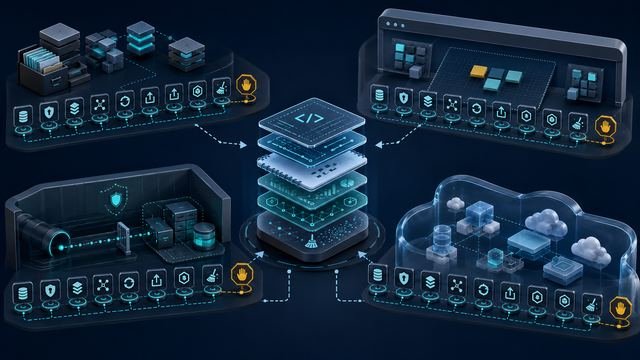
Choose an integration only after naming the artifact you need to retain and the environment in which the work must run. A repository-centered route is useful when code, configuration, history, and review must remain under learner control; a browser workspace can reduce setup; a VPN lab can expose an isolated target network; and a temporary cloud sandbox can provide bounded access without using a personal cloud account.
A bounded Codespaces evaluation completed the same synthetic task after one stop/resume cycle and after export to a local machine, but that observation covers only the tested blank-template route. Before committing time or money, verify the source of truth, authentication boundary, permissions, network path, session lifetime, reset behavior, export route, usage limits, cost boundary, and secret-handling rules for the exact platform and plan.
Evidence and scope
- Current evidence
- E1+E2 — official public documentation refreshed; one bounded Codespaces workflow evaluated with synthetic data. How we define evidence profiles.
- Minimum evidence for this roadmap page
- E1+E2 — met for the defined Codespaces case; no matched cross-provider comparison
- Information checked
- Integration surfaces sampled
- Repository-configured development environments, workflow automation, browser workspaces, VPN-connected security labs, temporary cloud credentials, cloud sandboxes, terminals, and project export routes
- Direct evaluation
- One blank GitHub Codespaces route: synthetic task, error recovery, stop/resume, export, and local rerun; all other providers remain not directly tested
- Main limitation
- One successful synthetic route cannot establish reliability, security, accessibility, support, cost, learning quality, or fit for another repository, plan, device, network, or provider.
Start with the evidence artifact, not the feature list
“GitHub integration,” “cloud lab,” “sandbox,” and “browser terminal” describe surfaces, not complete learning workflows. The buyer decision begins with what must exist after the exercise: a repository with meaningful commits, a configuration file, a notebook, a lab report, a deployment manifest, a terminal transcript, a dataset, or a reproducible cleanup record. The artifact determines which forms of persistence, export, ownership, and audit history matter.
Repository-configured environments make that distinction visible. GitHub’s dev-container documentation says a repository can define the tools, runtimes, extensions, and forwarded ports used in a codespace. GitHub’s Codespaces lifecycle documentation describes entry points from a branch, pull request, template, or historical commit. These records support a repeatable environment model, but they do not show that a specific repository builds successfully or that a learner understands what the environment changed.
Automation adds a separate permission layer. GitHub Actions provides repository workflow automation, while repository Actions settings can constrain allowed actions and workflow permissions. Codespaces prebuilds are tied to selected branches and dev-container configurations. A prebuild or workflow file is therefore evidence of configuration, not proof of successful execution, secure permissions, or portable output.
Lab platforms use different boundaries. A browser VM may already sit on an isolated network; a local machine may require a VPN; a cloud sandbox may issue temporary credentials; and a guided workspace may let the learner download files only while the session remains accessible. The same word—“hands-on”—can hide materially different ownership, networking, persistence, and cleanup conditions.
Verify the workflow in nine passes
1. Define the retained artifact
Write the exact artifact and its intended owner. A repository should identify the branch, files, commit history, license or attribution boundary, and any generated output. A notebook should identify the data files, environment requirements, and export format. A lab report should record the task, commands or observations permitted for retention, reset point, and cleanup. If the platform only records completion while your goal requires inspectable work, the integration may not serve the learning job.
2. Identify the source of truth
Determine whether the durable copy lives in your repository, local filesystem, platform workspace, temporary virtual machine, or provider project. Record which direction data moves: clone, upload, browser edit, download, API connection, copy-paste, or no export. Do not assume a browser workspace automatically writes changes back to a repository, or that a repository link automatically captures files created elsewhere.
3. Separate identity, authorization, and secrets
List every account and credential involved: platform login, repository authorization, VPN profile, temporary cloud account, personal cloud account, SSH key, token, or service credential. Record the least privilege needed and where secrets may appear. Never paste a long-lived personal token into an unverified lab, commit a credential to a repository, or assume that a temporary account authorizes access outside the lab scope.
4. Classify the environment
Mark the environment as local, repository-configured cloud development, browser desktop, isolated lab VM, VPN-connected target network, temporary provider sandbox, or a hybrid. Then record the operating system, required browser, extensions, local packages, ports, corporate firewall restrictions, and device limits. A surface that removes installation may still require desktop access, a reliable connection, or organization permission.
5. Map the network path
TryHackMe documents a browser AttackBox on its private network and a local route through VPN. Its network overview, OpenVPN instructions, and first-machine guide show that these routes have different local dependencies. Administrators can also restrict AttackBox internet access. Record whether the learner needs public internet, an isolated target network, outbound package downloads, inbound ports, or a corporate exception.
Hack The Box Academy similarly documents Pwnbox and OpenVPN as alternative routes and warns against using both simultaneously. That is a connectivity rule, not evidence that either route will work through a particular router, endpoint-security product, school network, or corporate firewall.
6. Record session, persistence, reset, and cleanup
Capture the start trigger, setup time, active timer, inactivity timeout, hibernation, termination, reset behavior, and what survives each event. TryHackMe’s hibernation and termination guidance and HTB’s plan and Pwnbox documentation make clear that session access and entitlements are separate records. Before beginning, save any permitted artifact outside the disposable environment and define how cloud resources, credentials, and local VPN processes will be closed.
7. Test the documented export route before doing substantial work
A download button, repository connection, or share link may cover only selected files. Coursera’s representative Guided Project page describes a preconfigured browser cloud desktop, desktop-only use, and a File Browser route for downloading learner-created files. DataCamp documents notebook download for completed projects and a separate dataset download route. These examples show why the learner should export a small test file first and verify its contents, metadata, dependencies, and reuse rights.
8. Verify entitlement, restrictions, and cost boundaries
Pluralsight documents a Hands-on Playground with cloud sandboxes, cloud servers, a terminal, and AI sandboxes, but the playground is not available to free-trial users. Its Isolation mode can disable file transfer, printing, or unrestricted copy-paste and is not compatible with every activity. Its Instant terminal is browser-based, yet corporate network policies may still block actions. Record the exact plan, session limit, data-transfer restriction, cloud-service limit, and any external charge before relying on the feature.
9. Set a stop, defer, or redirect condition
Stop before purchase or enrollment when the source-of-truth location is unclear, the export route is untested, a required network path is blocked, personal credentials would be exposed, the session is too short, the artifact cannot be retained, or the entitlement is not visible on the exact account. Redirect to a local authorized environment when the platform workspace adds no necessary capability. Defer the decision when documentation conflicts or the E2 test cannot be performed safely.
Compare integration patterns on the same evidence fields
On a small screen, swipe or scroll the table horizontally to compare all columns.
| Pattern | Documented entry point | Likely durable surface to verify | Material pre-use unknown |
|---|---|---|---|
| Repository-configured cloud development | Repository, branch, pull request, template, or commit; dev-container configuration | Repository files and commit history inside the workspace | Build success, permissions, billing, extension policy, secrets, and lifecycle behavior |
| Repository workflow automation | Workflow files triggered by repository events or manual dispatch | Workflow definition, logs, artifacts, and repository changes where permitted | Allowed actions, token permissions, secrets, artifact retention, and organization policy |
| Browser attack VM or VPN lab | Browser Pwnbox or AttackBox, or local VPN configuration | Permitted notes and exported files outside the disposable target environment | Network reachability, timers, persistence, plan limits, and local-security conflicts |
| Temporary cloud sandbox | Platform-issued temporary credentials and a fixed-time provider project | Explicitly exported configuration, logs, or notes that contain no secrets | Service limits, cleanup, personal-account confusion, external charges, and retention |
| Browser guided workspace | Preconfigured desktop or notebook opened inside the course | Downloaded learner-created files, notebook, data, or a separately owned repository | Desktop/device requirements, session lifetime, file coverage, dependencies, and reuse rights |
| Restricted corporate sandbox | Remote browser session with data-exfiltration controls | Approved outputs that the organization permits the learner to retain | Upload/download blocks, domain allowlists, copy-paste restrictions, and activity compatibility |
The useful comparison is not which platform has the longest feature list. It is whether the documented route can produce the required artifact without crossing an account, network, secret, licensing, cost, or retention boundary. When two routes produce the same artifact, prefer the one whose ownership and cleanup rules you can verify.
On a small screen, swipe or scroll the table horizontally to compare all columns.
| Field | Record before testing | Fail-closed condition |
|---|---|---|
| Artifact | Name, format, owner, permitted contents, and acceptance check | No inspectable artifact or unclear ownership |
| Identity | Every login, temporary credential, token, VPN profile, and least-privilege role | Long-lived secret required in an unverified environment |
| Environment | Local/browser/VM/cloud type, operating system, browser, ports, and required software | Required device or network path unavailable |
| Lifecycle | Timer, inactivity timeout, hibernation, reset, deletion, persistence, and cleanup | Required work can disappear before export |
| Transfer | Clone, upload, download, commit, artifact, or no-export route | Export coverage or permission cannot be verified |
| Limits | Plan entitlement, session quota, resource limits, external services, and costs | Unknown cost or entitlement is material to completion |
| Observation | Timestamped steps, errors, workarounds, outputs, and deviations | Result depends on undocumented inference |
| Stop rule | Condition to stop, defer, switch route, or request authorized access | Testing would exceed scope, policy, budget, or safety controls |
Google Cloud says its training labs provide temporary credentials to real cloud resources. Google Cloud training documentation establishes that model, while Google Skills credential guidance says the credentials are new, temporary, and valid only for the lab duration. Those records justify a credential-separation check; they do not establish which resources persist, which exports are permitted, or whether a particular lab completes without error.
Unknowns and limitations
- Scope of the minimum: The E1+E2 minimum is met for the defined Codespaces case only; it does not authorize a matched cross-provider comparison or a platform verdict.
- Direct behavior is narrow: one blank Codespaces task, missing-input recovery, stop/resume, export, and local rerun were observed. No repository authorization, Actions workflow, AttackBox, Pwnbox, VPN, sandbox, cloud credential, Guided Project, or DataCamp project was tested.
- No reliability finding: documentation does not establish startup time, uptime, latency, disconnect recovery, persistence, or support quality.
- No security audit: a temporary credential, isolation feature, VPN, or container does not by itself prove secure implementation. Secret handling and permission scope require exact evaluation.
- No accessibility conclusion: keyboard, screen reader, zoom, captions, contrast, motion, bandwidth, mobile, and assistive-technology behavior were not tested.
- No export-completeness finding: the sampled ZIP contained the synthetic files, but a single download does not establish coverage of dependencies, hidden files, metadata, history, generated resources, or platform-only state.
- No commercial conclusion: prices, trial conversion, quotas, plan entitlements, taxes, cloud overages, and cancellation were not modeled here. Recheck the exact account and terms.
- No intellectual-property conclusion: learners must separately verify course terms, dataset licenses, project instructions, employer rules, and whether sharing or public repositories are allowed.
- Volatility: platform names, plan access, limits, browser requirements, network policies, and export features can change. Recheck material records before any subsequent platform test or publication refresh.
Methodology
This source review selected official documentation for five integration patterns: repository-configured development, repository automation, isolated VPN or browser labs, temporary cloud sandboxes, and browser project workspaces. Sources were included when they described a material entry point, permission boundary, network route, lifecycle rule, restriction, or export surface. The sample is purposive and is not a census of platforms or integrations.
Material documentation claims were refreshed September 14, 2026. A versioned E2 protocol then evaluated one blank Codespaces route with synthetic data, an intentional input error, one stop/resume cycle, an export, and an independent local rerun. Feature names remain separate from observed behavior. No paid or protected access, participant research, scoring, affiliate work, or public platform comparison was performed; the Codespaces observation does not upgrade the other provider rows.
Sources
Official publisher pages checked September 14, 2026; the dated DataCamp dataset page remains a historical support page and is labeled accordingly in the research record.
- GitHub Docs — Introduction to dev containers (checked September 14, 2026)
- GitHub Docs — Deep dive into GitHub Codespaces (checked September 14, 2026)
- GitHub Docs — GitHub Actions documentation (checked September 14, 2026)
- GitHub Docs — Managing GitHub Actions settings for a repository (checked September 14, 2026)
- GitHub Docs — Configuring prebuilds (checked September 14, 2026)
- TryHackMe Help Center — Networks Explained: VPN, AttackBox, and Security Tips (checked September 14, 2026)
- TryHackMe Help Center — Connecting to OpenVPN on Linux and Mac (checked September 14, 2026)
- TryHackMe Help Center — Stop internet access for students on the AttackBox (checked September 14, 2026)
- TryHackMe Help Center — How to start your first TryHackMe machine (checked September 14, 2026)
- TryHackMe Help Center — Instance Termination & Hibernation (checked September 14, 2026)
- Hack The Box Help Center — Connecting to Academy VPN (checked September 14, 2026)
- Hack The Box Help Center — HTB Labs Subscriptions (checked September 14, 2026)
- Pluralsight Help Center — Isolation mode for labs and sandboxes (checked September 14, 2026)
- Pluralsight Help Center — Hands-on Playground overview (checked September 14, 2026)
- Pluralsight Help Center — Instant terminal (checked September 14, 2026)
- Google Cloud — Training resources (checked September 14, 2026)
- Google Skills Help — Credentials are not accepted for a lab (checked September 14, 2026)
- Coursera — Manage Your Versions with Git (Part I) (checked September 14, 2026)
- DataCamp Support — How can I share my finished DataCamp projects? (checked September 14, 2026)
- DataCamp Support — How to Download Project Datasets (checked September 14, 2026)