Quick answer
A course notebook becomes a more inspectable project only when you separate the provider’s contribution from your own work, preserve the permitted artifact, record its dependencies, and rerun the exported source outside the original workspace. In this single Dataquest Guided Project case, the evaluator entered an independent six-row synthetic task, downloaded the resulting notebook, and reproduced its semantic result in a fresh local environment. The result was portable with qualification, not proof of course completion, teaching quality, or portfolio acceptance.
Use the case as a handoff pattern: verify the smallest permitted artifact first, keep provider material and personal data out of the repository, and state every gap that remains. The evidence covers one Dataquest route and one task; it does not establish what another account, project, dataset, plan, or learner will experience.
Evidence and scope
- Current evidence
- E1+E2 — official public sources refreshed and one bounded Dataquest workflow directly evaluated with an evaluator-authored synthetic task. How we define evidence profiles.
- Minimum evidence for this page
- E1+E2 — met for the defined single-case workflow; this is not a matched platform comparison.
- Information checked
- Surface sampled
- Dataquest Guided Projects, mission 288, using an existing signed-in account and a free-access route observed by the evaluator.
- Direct evaluation
- One blank Jupyter workspace received the same evaluator-authored task, exported a native notebook, and was followed by a fresh local replay. The run is also the single Dataquest workflow case referenced by the related notebook-portability pilot; it is not an independent second replicate.
- Main limitation
- One purposively selected surface and one synthetic task cannot establish reliability, learning gain, course quality, long-term access, complete history transfer, or acceptance by an employer or portfolio reviewer.
Start with the claim, not the download button
The useful buyer question is not simply “Can I download this notebook?” It is “What may I retain, what did I author, what does the artifact depend on, and can another person inspect the result without the original lesson workspace?” A notebook, screenshot, completion record, share link, and repository answer different parts of that question. None is automatically evidence of independent authorship or professional readiness.
Dataquest describes Guided Projects as a bridge toward less-scaffolded project work and documents separate routes for learner-written code, notebooks, datasets, and portfolio handoffs. Its Guided Projects description, code-download guidance, and portfolio guidance establish documented routes and attribution considerations. They do not by themselves prove that a particular export is complete, original, reproducible, or acceptable to a reviewer.
The related learning-path guide is useful for choosing a capability and sequence; this page answers a narrower question about turning one permitted notebook exercise into an inspectable handoff. Keep the two decisions separate. A route can be documented while the resulting artifact still needs provenance, dependency, permission, and replay checks.
What was and was not observed
- An evaluator-authored task used six synthetic CSV rows, one missing numeric value, category normalization, grouping, a total, and a chart.
- The task ran in a Dataquest Guided Project Jupyter workspace and produced alpha 30, beta 30, gamma 90, and total 150.
- The normal Jupyter File > Download route returned a native
.ipynbcontaining the executed source, output, and metadata. - The downloaded source ran in a newly created isolated local environment and reproduced the registered semantic result.
- The observation used synthetic input only. It did not copy a provider dataset, solution, or private learner material.
- No course completion, skill gain, portfolio acceptance, GitHub push, employer review, or long-term server cleanup was observed.
These facts describe one controlled transfer. They do not turn a guided lesson into an independent project automatically. For career-outcome claim boundaries, see the career-claim verification guide.
Evidence objects and the claims they can support
On a small screen, swipe or scroll the table horizontally to compare all columns.
| Object | What it can show | What it cannot show here |
|---|---|---|
| Provider documentation | Documented Guided Project, download, attribution, and terms boundaries | That this exact account, file, dataset, or export is complete or reusable |
| Native notebook export | The selected task source, output, and notebook metadata that were downloaded | Full cloud history, every dependency, external data, or permanent access |
| Local replay | That the retained source reproduced the registered semantic result in the declared local environment | Exact provider-runtime parity, teaching effectiveness, or another learner’s success |
| README and manifest | Provenance, setup, expected output, files, limitations, and review boundaries | Permission to redistribute provider-owned content or a guarantee that the handoff will be accepted |
Treat the handoff as a chain of evidence rather than a badge. The Jupyter format description explains why cells, outputs, and metadata are inspectable fields, while the Python virtual-environment documentation explains why an environment instance should be recreated from declarations instead of copied as a portable folder.
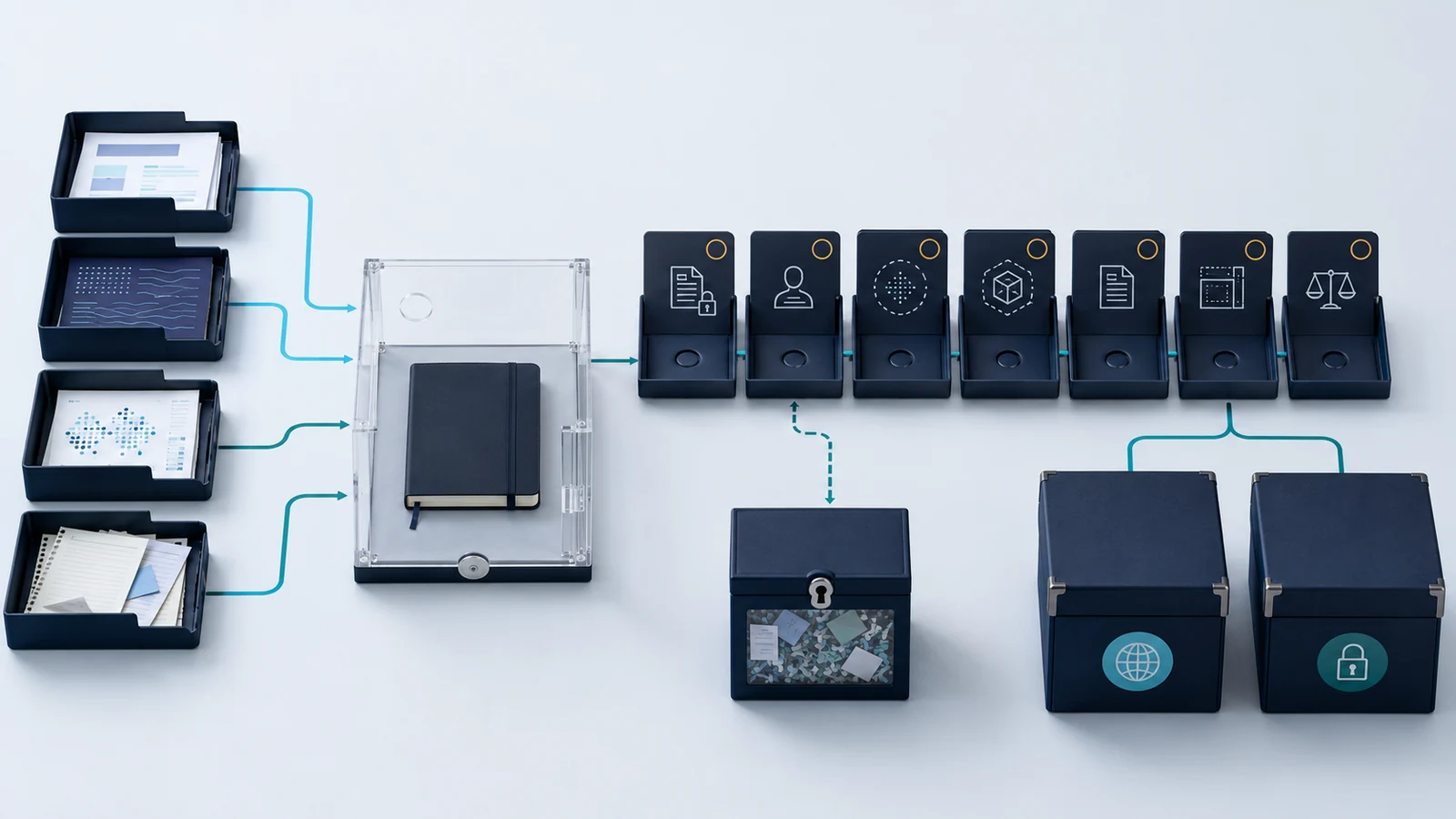
Use the notebook-to-project sequence
1. Define one bounded claim
Write the exact capability and evidence object you want to retain. “I reproduced this six-row transformation locally” is testable; “this course made me job-ready” is not supported by a notebook transfer. Keep the claim narrow enough that a reviewer can identify the source, input, output, and acceptance check.
2. Separate provider and evaluator contributions
Mark project framing, instructions, starter code, datasets, helper functions, charts, and explanations as provider, third-party, evaluator-authored, or unknown. Dataquest’s Terms of Use govern the service and provider material; they are not an individualized ownership opinion. Keep unresolved items out of a public repository until their permission and provenance are clear.
3. Record access and authorization
Record the account basis, project route, date, workspace type, and actions allowed. Free access is an access condition, not a quality verdict. Do not infer that a visible lesson or an existing login authorizes copying provider content, exporting personal data, or accessing an unrelated target.
4. Run the smallest independent task
Start from a blank notebook or the minimum permitted workspace and use evaluator-owned input. In this case the task inspected six synthetic rows, normalized category labels, filled one missing value with zero, grouped and summed the data, generated a chart, and explained the result. The task was designed to test artifact movement, not course mastery or lesson quality.
5. Use the documented export route
Download through the normal interface and verify that a file actually arrived. The observed route was Jupyter File > Download; the returned notebook used format 4.4 and contained one executed evaluator-authored code cell plus an empty cell. A download control is not evidence until the file, hash, contents, and metadata are checked outside the browser.
6. Inventory the artifact before version control
List every file, notebook cell, output, image, data input, configuration file, and metadata field. Inspect for provider solutions, private URLs, account identifiers, tokens, personal data, and unexpected generated files. Do not publish a file simply because it is visible in a workspace or because a repository is public.
7. Declare and recreate the environment
Record the runtime and package versions that produced the observed result. The Dataquest workspace reported Python 3.11.0rc1, pandas 2.2.2, and matplotlib 3.9.1.post1; the replay used Python 3.12.1, pandas 2.3.1, and matplotlib 3.10.5. The versions differed, so matching semantic output is compatibility evidence, not exact runtime replication. A requirements file and a fresh virtual environment are useful inputs, but neither captures every operating-system package, service, data permission, or secret.
8. Reproduce the retained source outside the lesson
Run only the permitted exported source in a new directory and isolated environment. Compare parsed results and retain deviations such as line-ending changes, missing generated files, notebook metadata, or unavailable services. In this case the local process exited successfully and reproduced the registered groups and total; the chart was regenerated, but pixel identity was not claimed.
9. Package the handoff and decide visibility
Add a README, dependency recipe, provenance note, expected output, evidence manifest, license decision, and cleanup record. A repository README can explain purpose and setup, but GitHub’s README guidance does not grant permission to republish provider material. Publish only the cleared artifact; keep restricted notebooks, datasets, and account traces private.
What the observed export and replay contained
The table below records one Dataquest workflow case. It is not a comparison against another provider and should not be generalized to every Dataquest project or account.
On a small screen, swipe or scroll the table horizontally to compare all columns.
| Stage | Observed record | Qualified reading |
|---|---|---|
| Input and task | Six evaluator-authored synthetic rows; one missing numeric value; category cleanup; grouped sums; chart | Controlled transfer task, not a provider dataset or course-completion measure |
| Cloud result | Alpha 30, beta 30, gamma 90; total 150; one missing value before normalization | Registered test oracle for this case only |
| Export | Native .ipynb from Jupyter File > Download; source, output, and metadata retained |
Notebook portability observed; separate generated files and full cloud history were not established |
| Local replay | Fresh isolated Python process exited 0 and reproduced the semantic JSON result; chart regenerated | Source-level compatibility under declared versions, not exact provider-runtime parity |
| Cleanup and retention | Shutdown commands were submitted; the workspace still showed an unverified running-session state | Server termination and automatic deletion remain unverified; retained private evidence is not claimed deleted |
Lower-risk alternatives when the boundary is unclear
- Private handoff: keep the notebook and evidence manifest private while asking the provider or data owner about attribution and redistribution.
- Public method, private artifact: publish the question, setup recipe, provenance, and limitations without uploading provider-owned files or restricted data.
- Synthetic reproduction: recreate the smallest capability with evaluator-owned input, as this case did, and label the result as a synthetic demonstration.
- Static report: convert a cleared notebook to a static HTML report while retaining the executable source privately; the nbconvert documentation describes representation conversion, not permission or reproducibility guarantees.
- Local-only workflow: use a local environment when the hosted workspace adds no required capability, and document the trade-off instead of implying that the course workspace was reproduced.
For integration and workspace boundaries beyond notebook projects, use the technical learning platform integrations guide. It separates repository, browser, VPN, and cloud-sandbox claims so that a single export case does not become a general platform verdict.
Unknowns and limitations
- This is one purposively selected Dataquest surface and one evaluator-authored task, not a representative learner sample or a provider ranking.
- The evaluator used AI assistance and synthetic input. No human beginner, learning cohort, course completion, skill gain, portfolio acceptance, or employment outcome was measured.
- The cloud runtime and local runtime versions differed. The replay demonstrates compatible semantics for the registered task, not exact environment parity.
- Full cloud revision history, every hidden dependency, external data coverage, and notebook-opening behavior in other tools were not tested.
- Shutdown commands were submitted, but the server-side session state and automatic deletion were not verified. Retained private evidence is not claimed deleted.
- Account entitlements, regional behavior, quotas, future UI changes, accessibility, latency, support, and reliability outside this task remain unknown.
- Terms and help pages support a bounded description, not individualized legal advice about ownership, licensing, or public reuse.
The practical conclusion is deliberately modest: before investing in a longer course or subscription, test the smallest permitted artifact and record what crosses the boundary. If the source, data, permission, dependency, or cleanup answer is unknown, keep the project private or label the gap instead of converting it into a recommendation.
Create the next handoff record
For a new project, create one short record with these fields before making the repository public:
- Question: the capability and bounded result being claimed.
- Provenance: provider, evaluator, third-party, and unknown contributions.
- Artifact: notebook or script, inputs, outputs, manifest, and checksums.
- Environment: runtime, packages, operating-system assumptions, and setup commands.
- Permission: terms, attribution, license, redistribution decision, and unresolved rights.
- Reproduction: fresh setup, commands, expected output, actual output, deviations, and review.
- Cleanup: what was stopped, what remains retained, and what could not be verified.
- Visibility: public, private, or deferred, with the reason and next review date.
This record is more useful than a completion badge because it tells a reviewer exactly what was observed and what was not. Recheck the source pages and the exact account before repeating the workflow.
Methodology
The case combines the free-access notebook-to-project protocol with official documentation about Guided Projects, code and portfolio routes, provider terms, notebook structure, dependency declarations, and isolated Python environments. Sources were used to define boundaries; they were not treated as evidence that a learner completed a project or that a provider guarantees a result.
The direct evaluation started from a blank Dataquest Guided Project workspace and used one evaluator-authored synthetic task. The task was executed once, the native notebook export was verified, the downloaded source was parsed and run in a fresh local environment, and semantic output was compared with the registered result. The observation was retained as one assisted workflow case. It is also reused by the related project-portability pilot; reuse does not create another independent run.
The method intentionally excludes provider solutions and datasets, human-participant research, paid access, public repository push, career or credential claims, and a winner decision. “Portable with qualification” means the declared core source crossed the observed route and reproduced the declared result while material gaps stayed visible. It does not mean feature parity, permanent access, complete handoff, or course recommendation.
Sources
Official publisher pages checked September 14, 2026. Source pages support the documented workflow and safety boundaries; the direct observation and local replay are described in the methodology above.
- What Are Guided Projects? — Dataquest Support.
- How Do I Download or Save the Code I’ve Written? — Dataquest Support.
- Can I Add Guided Projects to My Portfolio? — Dataquest Support.
- How Do I Download the Data Sets in the Lessons and Projects? — Dataquest Support.
- Terms of Use — Dataquest Support.
- The Jupyter Notebook Format — Project Jupyter.
- Using nbconvert — Project Jupyter.
- venv — Creation of virtual environments — Python Documentation.
- About READMEs — GitHub Docs.
- gitignore Documentation — Git.
- Removing Sensitive Data from a Repository — GitHub Docs.
- Licensing a Repository — GitHub Docs.